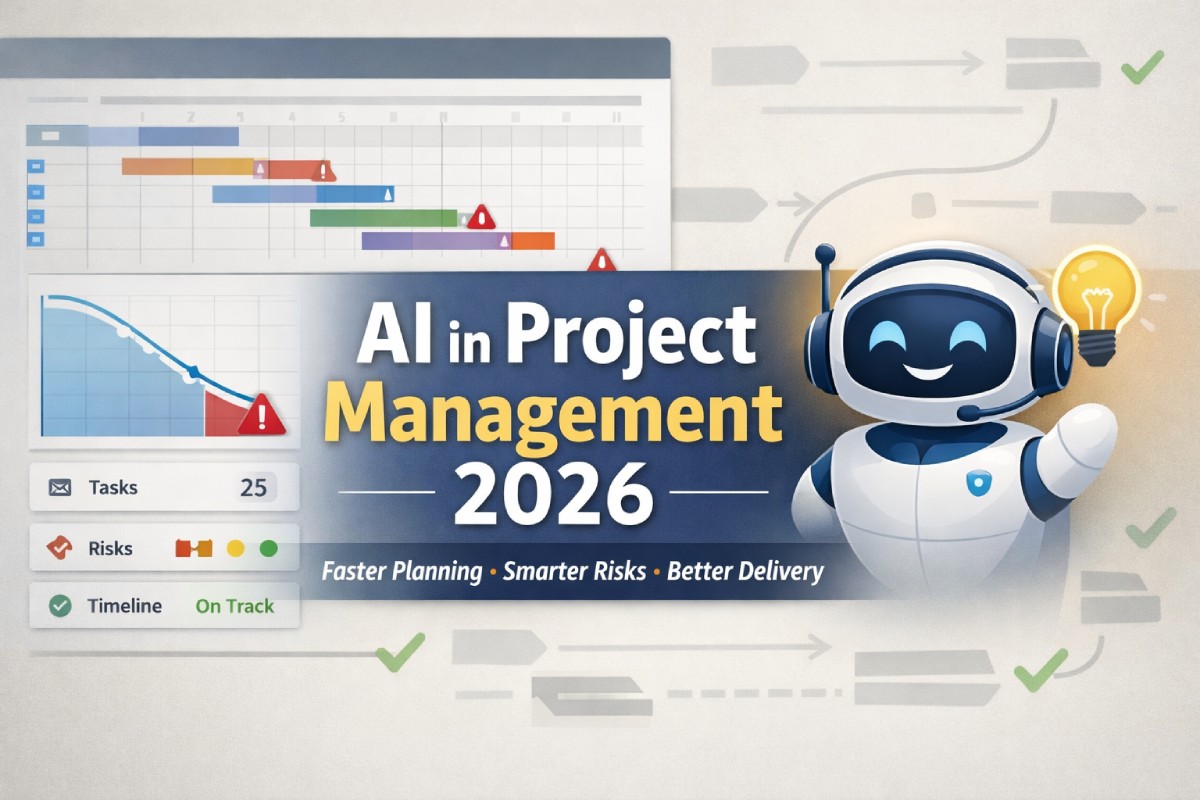

AI in project management 2026 isn’t about replacing project managers—it’s about removing the “busywork tax” that steals time from real leadership. In 2026, most teams already use AI somewhere (meeting notes, drafting emails, summarizing tickets), but the biggest gains come when you connect AI to the actual project system: your backlog, roadmap, risks, dependencies, and delivery metrics. Done right, AI becomes a project co-pilot that can forecast schedule slip, spot scope creep early, propose mitigation plans, and generate clean status updates that stakeholders actually understand.
This guide is built for real delivery. You’ll learn what’s changed in 2026, where AI delivers the highest ROI, how to implement it safely, and which workflows to operationalize first. You’ll also get practical checklists, a tool-selection table, and ready-to-use prompts and templates you can copy into your team’s process today.
1. What “AI in Project Management” Means in 2026
1.1 The 2026 definition: from “assistant” to “system”
In 2026, AI in project management typically means combining three layers: (1) generative AI for drafting and summarizing, (2) predictive AI for forecasting outcomes like delivery dates and risk probability, and (3) agentic automation that can take action across tools (create tickets, update fields, open risks, nudge owners). The difference from earlier years is that AI is now expected to work inside the workflow, not as a separate chat window that produces text you manually paste elsewhere.
This shift matters because project success depends on the fidelity of your “source of truth.” If AI only sees partial context, it produces vague or wrong recommendations. In 2026, strong implementations connect AI directly to project data (scope, estimates, resource allocations, sprint velocity, lead time, blocker categories) so the AI can reason from reality—not from assumptions.
If you’re evaluating AI tools, prioritize those that can: read your live project artifacts, respect permissions, cite the underlying items internally (even if your blog post doesn’t show citations), and write updates back into your system with audit logs. That’s how AI becomes a reliable operational layer rather than a novelty feature.
1.2 What changed since “early AI PM” adoption
The biggest changes are practical, not philosophical. AI is less about clever wording and more about continuous project intelligence. Teams are using AI to turn messy inputs—meetings, Slack threads, PRs, incident postmortems—into structured project signals. Instead of asking, “What happened?” managers ask, “What’s trending wrong and what do we do next?”
There’s also a maturity jump in governance. In 2026, organizations are far more explicit about where AI is allowed to decide, where it can recommend, and where humans must approve. This reduces risk while still capturing speed. The winning pattern is “AI drafts, humans decide, AI executes the mechanics.”
1.3 Where AI fits across the project lifecycle
AI fits best when mapped to the lifecycle, not sprinkled randomly. Use this table to align use cases with outcomes:
| Project stage | What AI does best | Typical outputs | Human still owns |
|---|---|---|---|
| Initiation | Turn fuzzy goals into structured scope | Draft charter, success metrics, stakeholder map | Vision, prioritization, approvals |
| Planning | Identify dependencies + draft realistic plans | WBS, timeline scenarios, RAID log draft | Trade-offs, commitments |
| Execution | Reduce coordination overhead | Auto status, action items, ticket updates | Leadership, escalation, negotiation |
| Monitoring | Forecast slip + surface anomalies | Risk alerts, variance analysis, trend reports | Decisions, corrective actions |
| Closing | Capture learnings in reusable form | Retros, postmortems, templates | Accountability, org learning adoption |
The pattern is consistent: AI excels at structure, synthesis, and suggestion. Humans excel at judgment, alignment, and accountability.
2. The 17 Highest-ROI Use Cases for 2026
2.1 Smart planning: scope, WBS, estimates, and “plan variants”
AI is extremely effective at producing a first draft plan that’s coherent and complete. You can feed it goals, constraints, known milestones, team capacity assumptions, and historical delivery patterns. In return, you get a structured work breakdown, a milestone plan, and a list of open questions that must be resolved before the plan is real.
The key 2026 upgrade is scenario planning. Instead of one timeline, AI can generate variants: “fast but risky,” “balanced,” “safe but slower.” Each variant can include the trade-offs: reduced scope, added headcount, phased releases, or risk buffers. This turns planning from a single guess into an explicit decision.
Practical checklist (planning prompt inputs):
- Objective + success metric (measurable)
- Non-negotiables (date, budget, compliance)
- Known dependencies (teams, vendors, platforms)
- Capacity and constraints (holidays, shared resources)
- Definition of done (quality gates)
2.2 Requirements: turning conversations into testable acceptance criteria
In 2026, many teams capture requirements through messy channels: calls, async threads, customer notes, and ticket comments. AI can turn these into crisp user stories with acceptance criteria, edge cases, and test notes. This reduces downstream rework, especially when PMs and engineers interpret the same sentence differently.
The big win is consistency. If every story has the same structure—“Given/When/Then,” non-functional requirements, analytics events, rollback plan—your cycle time improves because less is left ambiguous. AI helps enforce that structure at scale without becoming bureaucratic.
Mini-template (copy):
- User story:
- Acceptance criteria (Given/When/Then):
- Edge cases:
- Analytics + logging:
- Security / privacy notes:
- Rollback strategy:
2.3 Risk management: early warnings and probabilistic thinking
AI can scan delivery signals and flag early risk patterns: repeated reopening of tickets, growing PR size, increasing “blocked” time, high meeting load, or too many dependencies concentrated on one person. Even when humans “feel” the risk, AI helps quantify it and document it early.
In 2026, the most useful approach is a living RAID log. AI drafts risk statements, proposes mitigations, assigns owners, and nudges follow-up. Humans approve and refine, but the system stays fresh automatically. This alone can prevent “surprise delays” that were predictable from signals weeks earlier.
Risk statement formula AI can draft:
- Risk: If X happens, then Y impact occurs, because Z.
- Probability: Low/Med/High (or %)
- Impact: Low/Med/High (or $/time)
- Mitigation: actions + owner + due date
- Trigger: what indicates the risk is happening
2.4 Dependency mapping: finding the hidden blockers
Dependencies kill schedules. AI can mine architecture docs, backlog links, repo ownership, and historical “who usually reviews what” patterns to surface implicit dependencies. It can also recommend the best sequencing so teams don’t start work that will sit blocked.
The practical 2026 win is automated dependency hygiene. When a ticket is created, AI suggests upstream/downstream links and asks the creator to confirm. Over time, this creates a dependency graph strong enough for forecasting and “what-if” planning.
2.5 Status reporting that’s actually useful
Most status updates are either too long or too vague. AI can produce stakeholder-ready updates in multiple formats: executive summary, delivery view, and technical deep dive. It can tailor content to each audience while staying consistent with the same underlying facts.
The best practice is to standardize the structure: progress, risks, decisions needed, next milestones, and confidence level. Then you let AI fill it from your live data. Humans review for nuance and politics, but you stop burning hours assembling slides from scratch.
2.6 Meeting intelligence: from notes to actions to verified completion
AI meeting summaries are old news. The 2026 value is when AI turns a decision into a project artifact: it creates tasks, assigns owners, sets due dates, and links to the relevant epic. It also follows up and checks whether actions were completed, escalating gently when needed.
This reduces “decision evaporation,” where teams agree in a meeting but nothing changes in the actual plan. AI becomes the bridge between talk and execution, which is where delivery often fails.
2.7 Resource balancing: realistic capacity instead of wishful thinking
AI can analyze workload distribution, role constraints, and throughput to propose a feasible plan. This is particularly valuable for cross-functional work where one specialty (security, data engineering, design QA) becomes the bottleneck.
In 2026, the best implementations recommend: (1) what to de-scope, (2) what to defer, (3) where to add temporary capacity, and (4) which work can be parallelized without increasing integration risk. Humans decide, but AI quickly surfaces the options and their consequences.
2.8 Scope creep detection: “small changes” that add up
AI can compare the current backlog to the baseline plan and highlight drift: new requirements, new stakeholders, changed acceptance criteria, or additional compliance steps. It can quantify the likely impact in time or effort based on similar changes in past projects.
This enables a healthier culture: scope changes aren’t “bad,” but they must be visible. AI makes creep measurable early, reducing the chance of late-stage panic.
2.9 Quality and delivery: predicting bug spikes and rework
When integrated with defect data and CI/CD signals, AI can forecast risk of quality issues based on trends: rising flaky tests, unusually large batch merges, or repeated hotfixes. It can recommend checkpoints like pre-release hardening sprints or smaller release slices.
The 2026 shift is that quality forecasting is becoming part of project forecasting. Delivery date confidence is meaningless if quality is collapsing. AI helps unify these signals into a single delivery health view.
3. Implementation Playbook: How to Roll Out AI Without Chaos
3.1 Start with a “workflow wedge,” not a big-bang rollout
The most reliable adoption strategy is to choose one high-volume workflow and make it measurably better. For many teams, that’s status reporting, meeting-to-action conversion, or story grooming. If you try to automate everything, you’ll hit trust issues and tool fragmentation.
Pick a wedge where success is visible within two weeks. Then expand to adjacent workflows. This builds confidence and lets you tune governance before the stakes get higher.
Good first wedges (ranked):
- Weekly status + stakeholder summaries
- Meeting actions → tickets + reminders
- Story drafting + acceptance criteria standardization
- RAID log automation
- Dependency linking suggestions
3.2 Define “AI roles” clearly: Draft, Recommend, Execute
A simple governance model prevents 80% of AI drama. Define which actions AI can take autonomously and which require approval.
- Draft: AI creates a proposed artifact (status update, plan, risk log).
- Recommend: AI suggests next actions (mitigations, sequencing, staffing).
- Execute: AI changes systems (creates tickets, updates dates, assigns owners).
In most organizations, AI should be allowed to Draft freely, Recommend with transparency, and Execute only with guardrails (approval, limited scopes, audit logs). This keeps humans accountable while preserving speed.
3.3 Data readiness: your AI is only as good as your project hygiene
If your backlog is chaotic, AI will reflect that chaos. Before expecting “smart” outcomes, tighten the basics: consistent fields, clear owners, stable definitions of done, and meaningful statuses. This doesn’t mean heavy process—it means clean signals.
Focus on a short “data readiness sprint”:
- Ensure each epic has an owner and success metric.
- Standardize statuses (and what they mean).
- Require dependencies to be linked for cross-team work.
- Tag blockers with a category (waiting on, tech, decision, external).
3.4 Prompting and templates: make it repeatable
Treat AI outputs like any other operational artifact: standardize them. Build prompt templates and keep them in your wiki, not in one person’s memory. The goal is consistent quality across PMs and projects.
Reusable “Status Update Prompt” (copy):
- Inputs: sprint goals, completed items, in-progress items, risks, decisions needed, milestones, delivery metrics.
- Output format:
- Summary (3 bullets)
- Progress (bullets)
- Risks (probability/impact/mitigation)
- Decisions needed (owner/date)
- Next week plan (bullets)
- Confidence: Green/Yellow/Red + rationale
3.5 Measure ROI with delivery metrics, not vibes
AI is easy to “feel good” about. Prove it with metrics:
- Cycle time (ticket start → done)
- Planning accuracy (forecast vs actual)
- Risk discovery lead time (how early you flagged major risks)
- PM overhead hours (status/notes/admin time)
- Rework rate (tickets reopened, defects post-release)
Even one measurable improvement—like reducing status prep from 90 minutes to 15—can justify the rollout and fund more automation.
4. Tool Selection in 2026: What to Look For
4.1 The evaluation criteria that actually matter
In 2026, the best AI PM tools aren’t just “smart”—they’re integrated and governed. Use this checklist:
- Context integration: connects to Jira/Linear/Asana, docs, chat, repos
- Permissions: respects role-based access and project boundaries
- Auditability: logs what AI changed and why
- Customization: supports your templates and vocabulary
- Forecasting: uses historical signals, not generic guesses
- Actioning: can write back into systems safely
- Reliability: handles missing data gracefully and flags uncertainty
4.2 Selection matrix (quick scoring table)
Score each option from 1–5 and choose the top two to pilot.
| Criteria | Weight | Tool A | Tool B | Tool C |
|---|---|---|---|---|
| Integrations with your stack | 25% | |||
| Permission + security controls | 20% | |||
| Forecasting quality | 15% | |||
| Workflow automation (write-back) | 15% | |||
| Custom templates + governance | 15% | |||
| Ease of adoption | 10% |
Tip: A tool that scores highest on integration and governance usually beats a “smarter” tool that lives outside your system of record.
4.3 Build vs buy: when to customize
If your workflows are standard, buy. If your workflow is a competitive advantage (unique delivery model, compliance demands, specialized estimation), consider building lightweight internal automations on top of your tools.
A hybrid approach often wins: use a strong platform for summarization and reasoning, then build small “glue automations” for your specific fields, templates, and approval flows.
5. Risks, Ethics, and Guardrails You Need in 2026
5.1 Hallucinations and overconfidence in planning
AI can sound confident while being wrong, especially when inputs are incomplete. For project management, this often shows up as unrealistic dates, missing dependencies, or oversimplified estimates.
Mitigate it by requiring AI to: (1) list assumptions, (2) flag unknowns, and (3) show which artifacts it used (internally). If your AI can’t show its basis, treat it as a drafting assistant, not a forecasting engine.
5.2 Privacy, compliance, and sensitive project data
Projects contain sensitive material: customer details, security issues, financial plans, HR topics. Your guardrails should clearly define what data can be processed, where it can be stored, and how it’s retained.
Operationally, this means: permission-aware access, redaction for certain fields, retention controls, and a clear “do not use AI” labeling for sensitive initiatives. You’re aiming for speed and trust.
5.3 Accountability: who owns the decision?
A simple rule: humans own outcomes. AI can help draft and recommend, but delivery accountability stays with the PM and the team. This keeps governance clear and reduces the temptation to defer hard decisions to automation.
Make this explicit in your operating model: AI outputs are proposals, not directives. If AI “executes,” it does so under approval gates with traceable logs.
5.4 Bias and stakeholder management risks
AI can inadvertently amplify loud stakeholders, recent conversations, or incomplete narratives. In projects, that can distort prioritization and risk reporting. Counter this by grounding summaries in actual artifacts (tickets, decisions, metrics) and requiring a “missing perspectives” section in major summaries.
A practical technique is to ask AI to generate: “Who is impacted but not represented?” Then proactively validate with those stakeholders.
6. Your 30-Day Adoption Plan for AI in Project Management 2026
6.1 Days 1–7: Pick wedge + standardize templates
Choose one wedge workflow and define success metrics. Then create 2–3 templates that AI will use for outputs (status, risks, meeting actions). You’re not trying to be perfect—you’re trying to be consistent.
Also clean the minimum viable data: owners, statuses, milestones, and dependency linking rules. This is the fastest path to higher-quality AI outputs.
6.2 Days 8–14: Pilot with a single team and a real project
Run the wedge workflow in production for one team. Keep humans in the loop, but reduce manual work. Track baseline time and new time. Collect feedback on accuracy, tone, and missing context.
Most teams discover they need two iterations on templates to match their culture. That’s normal. Tighten formatting, confidence levels, and the definitions of “risk” and “decision needed.”
6.3 Days 15–21: Expand to RAID + forecasting
Once status and meeting actions are stable, add the next layer: automated RAID log maintenance and schedule confidence updates. The goal is to catch risks earlier and reduce fire drills.
Introduce a weekly “AI delivery health review” where the PM quickly validates AI-flagged risks and decides what actions to take. This builds trust without surrendering control.
6.4 Days 22–30: Operationalize governance and scale
Now formalize the governance model: what AI can draft, recommend, and execute. Create a short internal policy and a “how we use AI on projects” wiki page.
Scale to the next team only after you can show measurable improvement (time saved, earlier risk detection, better forecast accuracy). Small wins compound quickly when they’re repeatable.
FAQ (with FAQ schema)
1) Will AI replace project managers in 2026?
AI won’t replace strong project managers, but it will replace a lot of the repetitive work PMs do. In 2026, the PM role shifts further toward leadership: aligning stakeholders, negotiating trade-offs, and making decisions under uncertainty. AI helps by drafting plans, tracking risks, and generating updates faster. The PM remains accountable for delivery and for the human dynamics that AI cannot manage well.
2) What is the best first AI use case for project management?
The best first use case is usually automated status reporting. It’s frequent, time-consuming, and easy to measure. When AI pulls progress, risks, and decisions needed directly from your project system, PMs reclaim hours per week. It also improves consistency, because every update follows the same structure. Start there, then expand into meeting actions and risk management.
3) How do we prevent AI from producing incorrect project plans?
Require AI to list assumptions, unknowns, and dependencies explicitly. Keep humans responsible for commitments and approvals. Improve your project data hygiene so the AI has reliable inputs—clear owners, consistent statuses, and linked dependencies. Finally, use scenario planning so the team chooses trade-offs consciously instead of accepting one “confident” plan that might be unrealistic.
4) Is AI useful for Agile project management, or only for Waterfall?
AI works well for Agile because Agile generates lots of signals—tickets, sprint metrics, cycle time, blockers—that AI can analyze. AI helps create consistent stories and acceptance criteria, forecasts delivery confidence, and detects scope drift. It can also reduce Scrum overhead by drafting sprint summaries and stakeholder updates. The key is integrating AI into your existing Agile tools and rituals.
5) What are the biggest risks of using AI in project management?
The biggest risks are hallucinations (confident but wrong outputs), privacy exposure (sensitive project data), and unclear accountability (who owns the decision). There’s also the risk of bias in summaries that overrepresent certain voices. Mitigate these with governance (Draft/Recommend/Execute), permission-aware integrations, audit logs, and a consistent review process for critical outputs.
6) How do we measure ROI from AI in project management?
Track both time saved and delivery outcomes. Measure PM overhead hours, cycle time, forecast accuracy, and how early major risks are detected. Also watch rework indicators like reopened tickets and post-release defects. A strong early win is reducing status prep time dramatically while improving clarity. Over time, the bigger ROI often comes from fewer “surprise” delays due to earlier risk identification.
{
  "@context": "https://schema.org",
  "@type": "FAQPage",
  "mainEntity": [
    {
      "@type": "Question",
      "name": "Will AI replace project managers in 2026?",
      "acceptedAnswer": {
        "@type": "Answer",
        "text": "AI won’t replace strong project managers, but it will replace repetitive PM work. In 2026, PMs focus more on leadership, alignment, and decision-making while AI drafts plans, tracks risks, and generates updates faster. PMs remain accountable for outcomes and stakeholder dynamics."
      }
    },
    {
      "@type": "Question",
      "name": "What is the best first AI use case for project management?",
      "acceptedAnswer": {
        "@type": "Answer",
        "text": "Automated status reporting is usually the best first use case because it is frequent, time-consuming, and measurable. When AI pulls progress, risks, and decisions from your project system and formats updates consistently, PMs save hours per week and stakeholders get clearer reporting."
      }
    },
    {
      "@type": "Question",
      "name": "How do we prevent AI from producing incorrect project plans?",
      "acceptedAnswer": {
        "@type": "Answer",
        "text": "Require AI to list assumptions, unknowns, and dependencies, and keep human approvals for commitments. Improve project data hygiene with clear owners, consistent statuses, and linked dependencies. Use scenario planning so the team chooses explicit trade-offs rather than relying on a single AI-generated plan."
      }
    },
    {
      "@type": "Question",
      "name": "Is AI useful for Agile project management, or only for Waterfall?",
      "acceptedAnswer": {
        "@type": "Answer",
        "text": "AI is very useful for Agile because Agile produces rich signals like ticket flow, sprint metrics, and blocker patterns. AI helps draft stories and acceptance criteria, forecast delivery confidence, detect scope drift, and reduce Scrum overhead by creating sprint and stakeholder summaries when integrated with Agile tools."
      }
    },
    {
      "@type": "Question",
      "name": "What are the biggest risks of using AI in project management?",
      "acceptedAnswer": {
        "@type": "Answer",
        "text": "Key risks include hallucinations, privacy exposure of sensitive project data, and unclear accountability. Bias in summaries can also distort priorities. Mitigate these with governance (Draft/Recommend/Execute), permission-aware access, audit logs, and a consistent human review process for critical outputs."
      }
    },
    {
      "@type": "Question",
      "name": "How do we measure ROI from AI in project management?",
      "acceptedAnswer": {
        "@type": "Answer",
        "text": "Measure PM overhead hours saved and delivery outcomes like cycle time, forecast accuracy, and earlier risk detection. Track rework through reopened tickets and post-release defects. Many teams first prove ROI by cutting status prep time while improving clarity, then expand to risk and forecasting gains."
      }
    }
  ]
}
Conclusion
AI in project management 2026 is most valuable when it’s operational: connected to your real project data, governed by clear rules, and measured with delivery metrics. The fastest wins come from standardizing outputs (status updates, meeting actions, RAID logs) and letting AI handle the structure and synthesis while humans own decisions and accountability. Once that foundation is in place, you can safely expand into forecasting, dependency intelligence, capacity balancing, and quality risk prediction.
If you want the simplest next step, start with a single workflow wedge—like weekly status updates—and build a repeatable template your whole team can use. Then scale only after you can prove time saved or earlier risk detection. That’s how AI becomes a durable delivery advantage instead of another tool that gets ignored after the novelty fades.
Suggested internal links (your site):
/project-management-templates//risk-management-playbook/
Suggested external links (no citations included):
- Vendor documentation pages for your PM tool and AI features
- Your security/compliance policy page
- A reputable Agile/PM framework reference page (e.g., Scrum Guide or PMI resources)